









Boxity.io - Creative 3D Gaming Platform
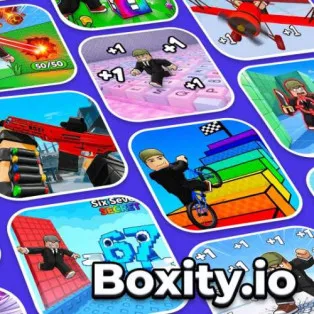
Why settle for one adventure when you can explore an entire collection? Boxity.io is a 3D multiplayer gaming platform packed with different experiences, from colorful obstacle courses and competitive races to shooting battles and creative simulations.
Unlike traditional games with a single objective, this virtual playground lets you decide what to do next. You might spend a few minutes mastering a difficult parkour challenge, switch to an action-packed arena, or explore a new world alongside other players.
With customizable avatars, social features, and plenty of games to discover, there's always something different waiting around the corner.
What Can You Do in Boxity.io?
Browse the available experiences and choose whatever catches your attention.
Explore Different Games and Challenges
Popular activities include:
- Obby and Parkour: Jump across platforms, avoid traps, and reach challenging checkpoints.
- Racing: Compete on exciting tracks and test your driving skills.
- Shooting Games: Enter multiplayer arenas and battle opponents.
- Simulation: Explore virtual environments, complete activities, and enjoy creative gameplay.
Each experience has its own objectives and rules, so you can easily switch between different styles of play.
Customize Your Avatar
Make your character stand out with different outfits and accessories. Your personalized avatar can accompany you across multiple experiences, giving your adventures a more individual touch.
Play and Connect With Others
The platform also brings players together through multiplayer activities, friends, clans, and leaderboards. Join competitive challenges, explore alongside other players, or work toward new achievements.
How to Play Boxity.io
Getting started is straightforward:
- Open the game and browse the available experiences.
- Choose a challenge that matches your interests.
- Customize your avatar if you want a different look.
- Follow the instructions for your selected game.
- Complete objectives, earn rewards, or compete with other players.
Game Controls
PC Controls
- WASD / Arrow Keys: Move in supported games.
- Mouse: Look around, interact, or navigate menus.
- Space: Jump in supported experiences.
Mobile Controls
- Virtual Joystick: Move your character.
- Touchscreen Buttons: Jump, interact, or perform game-specific actions.
Controls may vary depending on the selected experience.
Tips for New Players
- Try different game categories to discover your favorites.
- Read each game's instructions before starting.
- Practice movement and jumping in easier obby challenges.
- Explore multiplayer activities with friends.
- Check leaderboards and rewards for additional goals.