


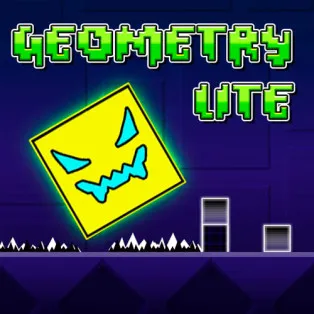






Geometry Dash Lite is the free, accessible version of the iconic Geometry Dash series. Although it is a lighter version, it still has all the features that made the first one a household name, rhythm-synced levels, responsive one-button controls, and that just one more time attitude. You have a tiny geometrical avatar and direct it through the dangerous world of the game where a single wrong step is a re-spawn. It belongs to the action, platformer, and rhythm genres quite well, and although the controls could have not been made simpler, the difficulty curve requires concentration, a sense of rhythm, and timing sense. This game is worth having on the screen when you are fond of fast reaction games.
What Makes Geometry Dash Lite Stand Out
- Music-Driven Gameplay: Your jumps, flips, and flying segments all sync to the beat of the soundtrack.
- Normal & Practice Modes: Practice tough sections with custom checkpoints before attempting clean runs.
- Multiple Character Forms: Your avatar morphs into ships, robots, waves, spiders, UFOs, and more each with its own mechanics.
- Icon Customization: Unlock new colors and designs as you progress.
- Dynamic Level Design: Obstacles shift, gravity flips, and speed portals change pacing on the fly.
- Hidden Coins: Optional collectibles for players who want an extra challenge.
- Reactive Visuals: Backgrounds pulse and animate with the music for an immersive rhythm-flow experience.
How to Play Geometry Dash Lite
Gameplay is built around timing your jumps to avoid spikes, gaps, walls, and moving traps. It’s simple to grasp, unforgiving to master.
- Tap, click, or press Space to jump.
- Hold to chain continuous jumps.
- Fly segments: Hold to rise, release to fall.
- Crash = restart from the beginning (unless you’re in Practice Mode).
Practice Mode lets you place checkpoints so you can memorize tricky patterns without losing progress.
Geometry Dash Lite Controls
- Spacebar: Jump / interact
- Left Mouse Click: Jump
- Up Arrow: Alternative jump input
- Esc: Pause
- R: Restart level instantly
These simple inputs allow you to focus entirely on timing and rhythm.
Game Modes & Character Forms
One of Geometry Dash Lite’s most exciting elements is how your avatar transforms mid-level, changing how you interact with obstacles:
- Cube: Classic jump-based platforming
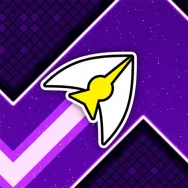
- Ship: Fly up and down with press-and-release controls
- Ball: Flip gravity on every tap
- UFO: Bouncy, rhythmic flight pattern
- Wave: Sharp diagonal zig-zags
- Robot: Variable jump height based on how long you hold
- Spider: Teleport between surfaces
Each shift introduces new mechanics, keeping levels unpredictable and fresh.
Games Similar to Geometry Dash Lite
If the beat-driven chaos of Geometry Dash Lite speaks to you, try these titles next:
- Geometry Dash Wave: Focuses heavily on wave-movement precision.
- Chill Guy Geometry Dash: A more laid-back take on rhythm platforming.
- Slope: A speed-driven challenge with endless downhill movement and sharp turns.
All emphasize fast reactions, smooth control, and pattern recognition.
Geometry Dash Lite is a test of rhythm, memory, and sheer determination. The sense of achievement you feel after finally clearing a tough level is unmatched, especially after dozens (or hundreds) of failed attempts. Bright visuals, energetic soundtracks, and tight mechanics make this game a staple for fans of timing-based challenges. Jump in, follow the beat, and see how far your reflexes can take you in Geometry Dash Lite.